

The Raspberry Pi is a very versatile piece of hardware that can handle even the most demanding of digital signage requirements.
One of the most important choices when purchasing hardware for your Raspberry Pi players aside from the actual Pi its self, is the enclosure or simply the case that the Raspberry Pi sits in.
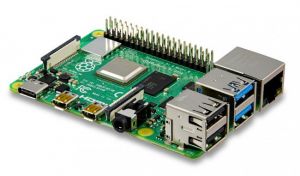
The Raspberry Pi Unit
When it comes to the actual unit, you’re choices should be between the Raspberry Pi 5 or the Raspberry Pi 4.
The Raspberry Pi 3 will also work, but it should only be used for the most basic of use cases, displaying images or simple content, not for dashboards or heavier websites.We recommend the 5, basically because there’s not a large price difference and you get a more powerful unit.
Simple images and webpages will be fine on the Raspberry Pi 4, however video, larger images, dashboards with animations would be better suited running on the Raspberry Pi 5.
Choosing The Right Enclosure
The enclosures usually come in two varieties, a standard plastic enclosure with holes for venting air, and an all metal, usually aluminium version that acts as a large heat sink.
Typically plastic cases will not dissipate heat as well as the metal cases and they will rely on some sort of internal fan to push the heat out. These fans can sometimes be noisy if you buy a cheap one, and once you add up the cost of a plastic case and a high quality fan, it’s often not much cheaper then simply buying a high quality metal enclosure.
The amount of heat your device generates is related to the content you’re displaying. If you are primarily displaying high res video content or animation heavy dashboards, you will need to ensure you have adequate cooling. If you are displaying simple images or announcements your cooling needs will be lower.
This is something to be aware of as if your Raspberry Pi overheats, it can damage it and cause slow performance, especially if you’re displaying video content. Some cheaper plastic cases can also be fitted with fans which will keep the temperature down and dissipate the heat.
The official VuePilot image will display a green number in the top right hand corner of the desktop. This is the temperature of the CPU. When you buy a device from us, we only use thermal efficient metal cases that keep the temperature down.

In general you want to ensure this temperature stays below 60 degrees (celsius) for best performance.
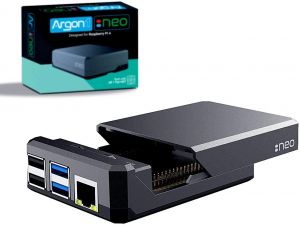
Our Choice: The Argon NEO Raspberry Pi Case
There are no fans, the unit runs silent and the temperatures generally stay under 50 degrees celsius in a normal environment.
The case uses a thermal pad which makes contact from the CPU to the case which spreads the heat out across the entire enclosure effectively cooling the unit.
Purchase The Argon NEO From Amazon
Don’t Forget The Power Supply
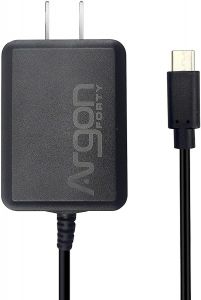
The Raspberry Pi board does not come with a power supply, so be sure to buy one of those also. Don’t buy the cheapest power supply as we have seen some that do not supply enough power to the board and the performance suffers.
The Argon supply is a good quality supply, as is the official Raspberry Pi power supply if you can find them
SD Card Storage
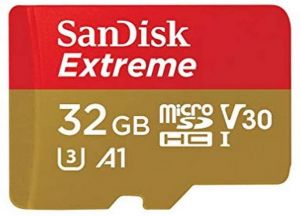
The Raspberry Pi storage run off a micro SD card. Any mid range (Over 95Mbps card) should do you well here.
We recommend a 32GB SanDisk card which can be picked up for about $10. The SanDisk cards are highly reliable and we very rarely have issues with them.
Bundle Packages
You can of course purchase a bundle package with everything in it which are common, just keep in mind, these are usually cheaper plastic cases with cheap fans and we wouldn’t recommend these for a device that will be running 24/7. If you are going to purchase one, make sure the case has proper cooling and is either an aluminium case or comes with a fan and heat sink.